

Creativerly's Favourite Apps of 2025

It is time again to sit down and reflect on the apps that became my favourite ones over the course of the past twelve months.

This is the fifth year of sitting down and reflecting on a bunch of Apps that stood out throughout the past twelve months. In case you want to take a trip to the past, you can check out Creativerly‘s Favorite Apps for 2021, 2022, 2023, and 2024. Readers who have been here since the early days know that writing about apps and tools has been at the core of Creativerly. However, throughout the years, instead of falling for shiny-app-syndrom over and over again, I became more thoughtful about the volume of apps I am featuring and writing about, as well as more selective and mindful about the apps I am using on a daily basis. This means, a couple apps that became my favourites in 2024, are still my favourites in 2025.
What has changed though, are the reasons why they are still my favourites. And this brings me to an important point: new apps are getting launched every day, and with the blazingly fast development of AI, even more (but not necessarily better) apps are popping up everywhere. When you suddenly discover a shiny and fancy new app on your timeline, it is super easy to get hooked, start exploring, and potentially adding yet another app to your tool stack, although you might not need it. Chances are high, the apps you are already using let you achieve the same things, that new app is promising you.
Loads of apps are selling the idea of making you more productive, saving you time, achieving more, and reaching your goals. Combine those things with a flashy and shiny user interfaces, fancy icons and colors, and no-one is surprised anymore, that we abandon apps that were perfectly fine, for new ones we just stumbled across.
So, let us embrace simple and real apps, small and mighty teams, building tools to solve their users' problems. Let us support those who use their users' satisfactory as driving force in order to create and build great apps and tools.
And now, enjoy Creativerly's Favourite Apps of 2025.
Croissant
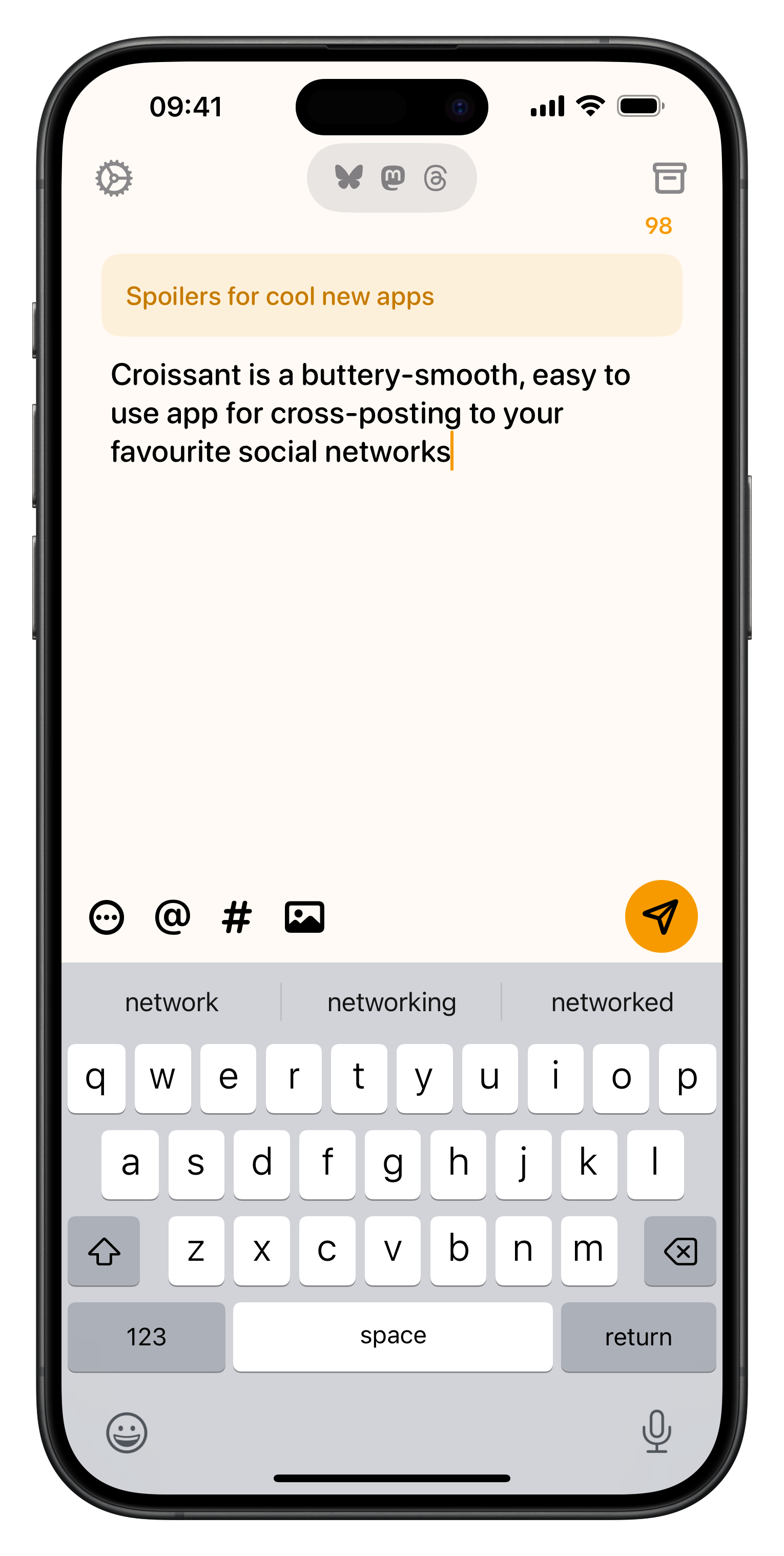
After leaving Twitter behind for obvious reasons, I went from posting to a single micro-blogging service to posting to two different services, Mastodon and Bluesky. While I would appreciate to only stick to a single social network, I created some lovely timelines on both those networks, and found nice communities. Therefore, I decided to cross-post to both. And the one app, that made this so much easier and straightforward is Croissant.
Croissant has been created by Ben Rice McCarthy and Aaron Vegh. In 2025, they introduced Croissant 2.0 which brought a refined structure to the app, as well as Liquid Glass, and some new features. Among those new features, you can find a new home view that combines drafts and recents. Additionally, the compose view got simplified to flow vertically rather than horizontally, which means threads are easier to compose, and you can see more of what you are writing at once. My favorite new feature is account groups, which allows you to group together accounts. This comes in super handy when you have multiple accounts across multiple projects.
Besides that, another incredible handy feature is the possibility to continue threads. It happened to me multiple times that I cross-posted to Mastodon and Bluesky just to realize seconds after that I forgot to add something. Instead of opening up each app and posting the update there, I can simply use Croissant and pick up where I left off. Lovely.
So far, it has been pure joy using Croissant to cross-post. Croissant is available for macOS, iOS, iPadOS, and VisionOS. You can use a limited version of it for free. In order to unlock all features you can grab either a monthly subscription for €2,99, a yearly subscription for €22,99, or the lifetime option for €69,99.

Tot
Tot made it on my list of Creativerly's Favourite Apps of 2024, and it made the list in 2025 yet again. The reasons why Tot is one of my favourite apps of the year mostly stayed the same, but the fact that it became such an important part of my writing workflows, as well as some lovely interface updates, made it easy for me to include Tot once again in this year's roundup of Creativerly's favourite apps of the year.
In case you do not know what Tot is: with Tot you get access to a lovely tiny text companion to collect and edit text on your Mac, iPhone, iPad, and Apple Watch. On the iPhone you get to enjoy dynamic home screen widgets, on your Mac you can experience simple formatting controls, and your Watch, Tot Mini syncs your notes via iCloud so your text goes wherever you go. Tot fully supports rich or plain text, and even translates text to to Markdown for handy use on the web.
My main note-taking app is still Capacities, however, I do all my quick capturing with Tot. It is my scratchpad, my text companion, and the place where I keep track of rough ideas, and outlines, before moving them to Capacities. Throughout 2025, I also used Tot to capture bits and pieces for blog posts I wanted to write. Capacities' iOS app is a bit clunky and slow, and since the capturing of those bits and pieces mostly happens when I am on my phone, I was in the need for an app that allowed me to have access to a more solid foundation, with fast and easy input. Tot is exactly that app, and I was happy that I found yet another reason to use that tiny text companion more often. When I am then on my Mac, I pull up all my quick notes in Tot, and have it side-by-side with Capacities where I then start writing the actual blog post.
Tot costs you €22,99 as a single-time purchase for macOS, and €22,99 as well for the iOS version. You might think that this is a steep pricing for a tiny text companion, but Tot simply works, it looks gorgeous, and by buying it, you support the lovely work by The Iconfactory.

Reeder
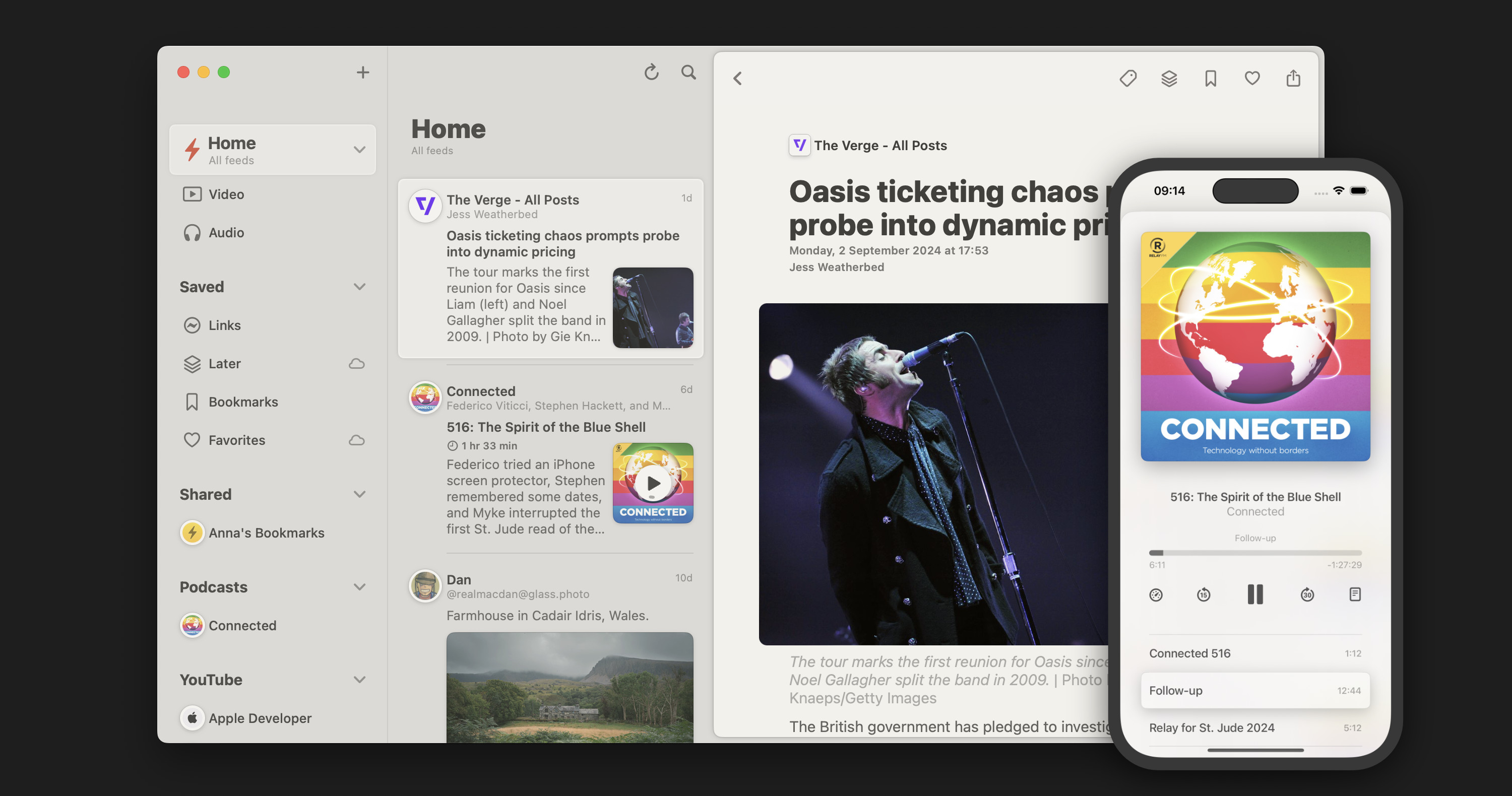
Another app that made it on the 2024 and 2025 list of Creativerly's Favourite Apps, is Reeder by Silvio Rizzi. I have been hopping back and forth between Reeder and Readwise Reader throughout the past year, but as I sat down and did some detailed evaluating whether I still need the subscription for Readwise Reader, I came to the conclusion, that Reeder is also meeting my needs, and it is doing that at a way lower price.
Reeder has really grown onto me. I moved all my RSS feeds to Reeder, I really enjoy it as my reading environment, and I even built a little app for it to serve a super niche use-case. Although Reeder gives you the possibility to add a variety of feeds (not only RSS feeds) to it, I mainly use it to keep track of my RSS feed subscription for blogs and online magazines, as well as saving any articles I would like to read at a later point. So, if you have ever been on the lookout for an app that gives you a centralized way to keep track of everything you follow, from RSS feeds, to videos, podcasts, and social media posts, Reeder is definitely worth checking out.
You can use Reeder in a limited capacity for free. In order to unlock the full potential of it, you can upgrade to the €1,00 monthly plan or the €10,00 yearly plan.
Book Track
When I was a kid, I hardly ever touched a book. In school, I had no interest in reading a book for class. But something changed. During a summer vacation with my parents, we strolled through the city, and then headed into a book store, as my parents wanted to buy some new books to read while being on vacation. I looked through the shelves too, and stumbled across the first part of Simon Beckett's "Dr. David Hunter" series, The Chemistry of Death. I bought it, without thinking about my intentions that much. I did not think about "getting back into reading", I thought that when my parents buy some books and they want to read them while being on vacation, I might as well grab one, and we can have some reading time together.
Well, two days later, I finished reading the book. While the story definitely caught me, it was also the feeling, the sanity, and simply being relaxed while reading the book, which made me a book lover.
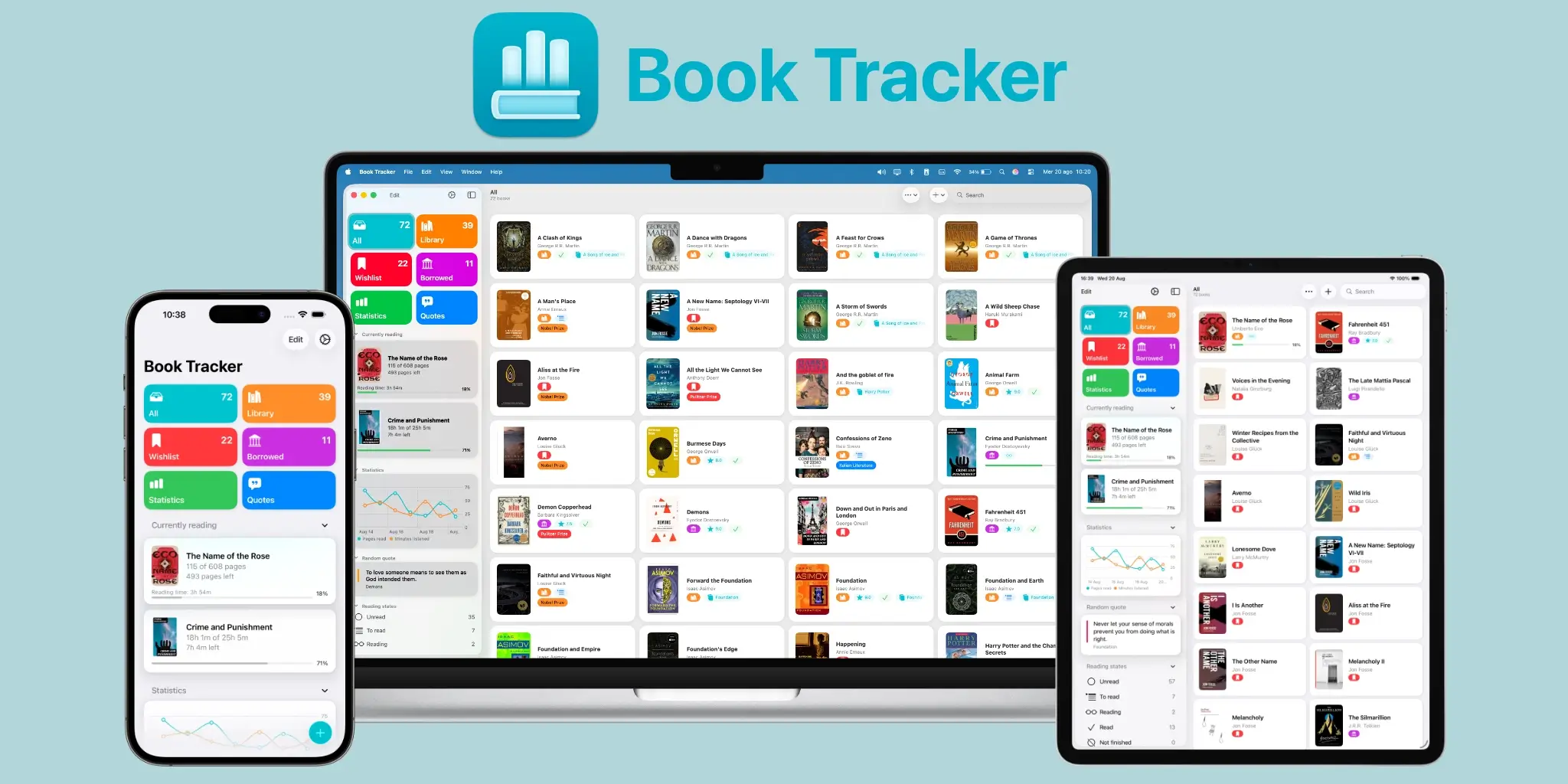
Fast forward to today, and you find books everywhere in my apartment. I love to gift books, but I am also incredibly happy when I get them gifted. To keep track of all the books I own, the ones I am currently reading, the highlights and quotes I would like to capture from them, as well as the books I would like to buy or have borrowed, I use an app called Book Track. It is a powerful, all-in-one app to manage your book collection, log reading sessions, and save favorite quotes. It provides a seamless, and private experience for iOS, iPadOS, and macOS.
One of my favourite activities is to stroll through bookshops. Although I end up buying two or three books whenever I enter a bookshop, I adding way more to my wishlist. And with Book Track this is super simple, as you can scan the code on the back of a book to search for it in Book Track's catalog and then add it to your wishlist with just a few taps. Additionally, you can also manually search for it. Book Track features a modern and lovely interface across all its apps.
You can download it for free, but in order to get access to syncing your library via iCloud, you need to upgrade to Book Track Pro, which costs you €17,99 as a single-time purchase.
Ripples
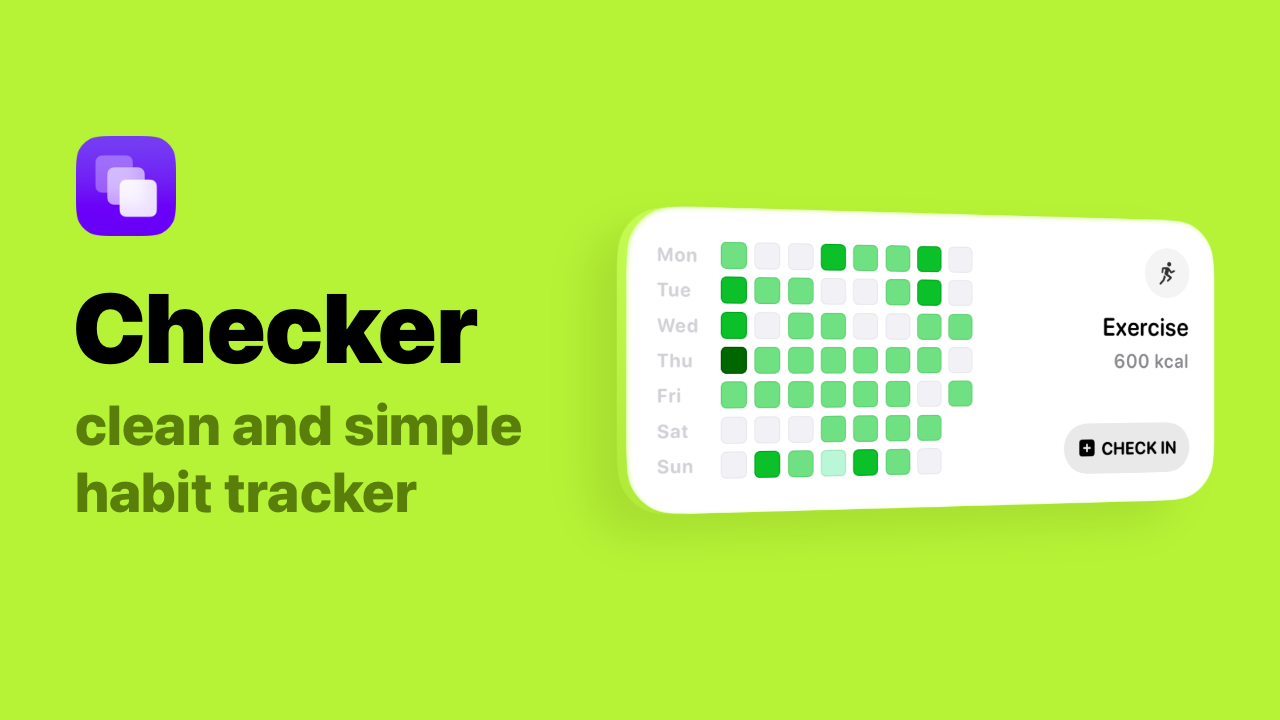
In 2024 I started to keeping track of things like how often I journal, write, drink 2L of water, no alcohol, doing my stretching and mobility routines, and so on. I struggled to find a simple app, with an uncluttered interface, and a straightforward way to log entries. After digging through the App Store for quite some time, I finally found Ripples (previously known as Checker).
Ripples is a beautifully designed app that helps you track, and visualize progress towards any goal, keeps you accountable, and motivated. To get started, you simply create a board for any goal or habit you are working towards. And then, it is a single tap to log an entry for it. Super simple. Super straightforward. What immediately caught my intention was definitely Ripples interface. It is simply a beautiful app, that brings me joy whenever I open it. In order to keep an eye on my progress, I can also use Ripples widgets. Additionally, the interactive widgets are also a handy way to log new entries right from your home screen.
You can use Ripples for free with a limit of creating three boards. To unlock Ripples full potential you can grab the Powerpack for €9,99, and support the development of the app, as features like an Apple Health integration, check-in badges, or multi-board widgets are already planned.

Till next time! 👋
Support: Do you have a friend who is looking for inspiration, news about design, and useful tools and apps? Forward this newsletter to a friend or simply share this issue and show some support. You can also show some love by simply clicking the button down below and keep this newsletter a sustainable side-project by buying me a coffee. ☕️ 🥰


Discussion